Rocketfish RF-PS4S101 - Quick Setup Guide Instrukcja Użytkownika
Przeglądaj online lub pobierz Instrukcja Użytkownika dla Konsole Rocketfish RF-PS4S101 - Quick Setup Guide. RocketFish RF-PS4S101 - Quick Setup Guide User Manual Instrukcja obsługi
- Strona / 2
- Spis treści
- BOOKMARKI

Podsumowanie treści
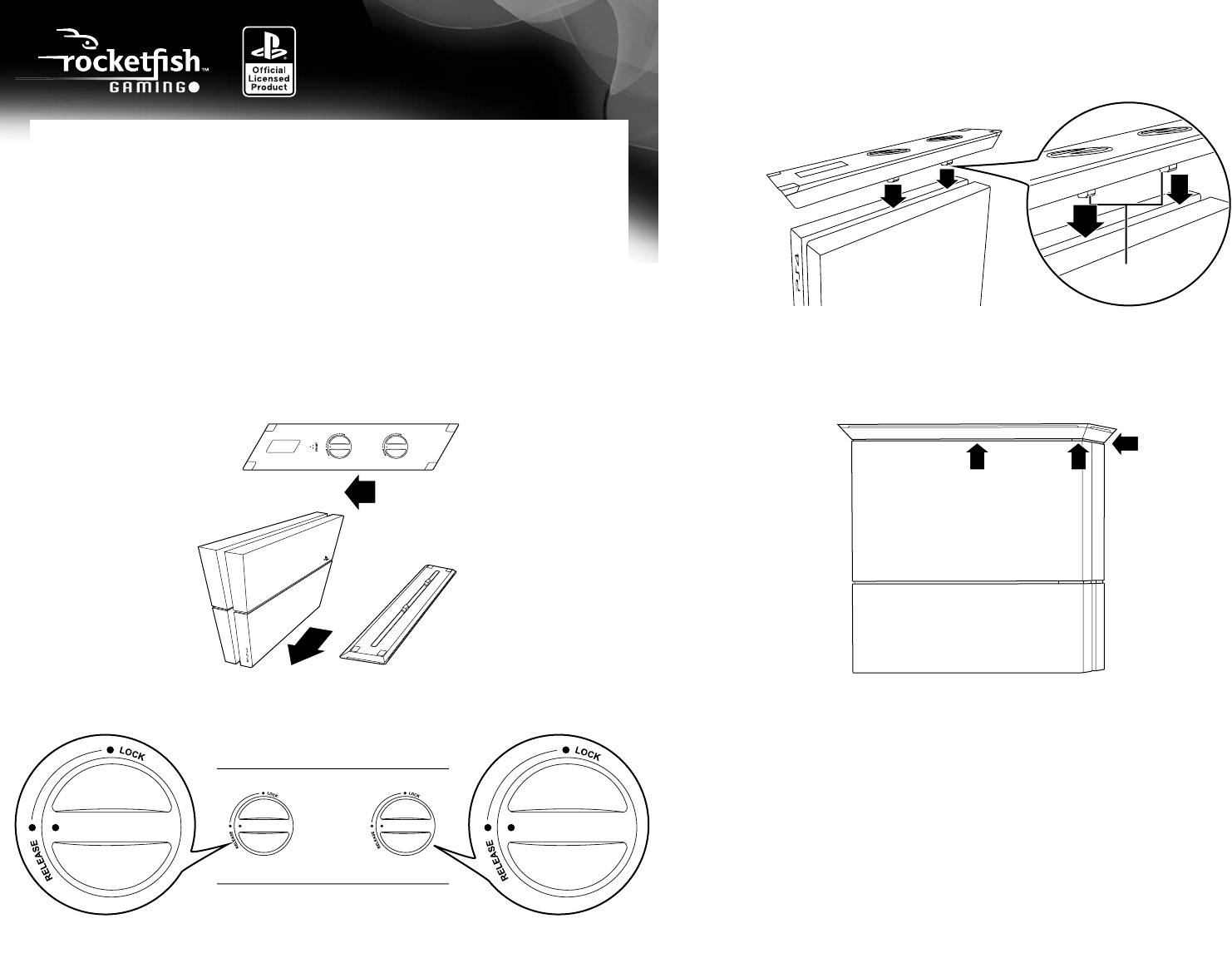
QUICK SETUP GUIDEPS4® Vertical Stand RF-PS4S1014 Carefully set the PS4 system and stand on a table with the bottoms facing up, then attach the stand
90-day limited warrantyVisit www.rocketshproducts.com for details.Contact Rocketfish:For customer support, call 1-800-620-2790 (U.S. and Canada) or 01
Więcej dokumentów dla Konsole RocketFish RF-PS4S101 - Quick Setup Guide


Powiązane produkty i podręczniki dla Konsole Rocketfish RF-PS4S101 - Quick Setup Guide
 (2 strony)
 (2 strony)
 (1 strony)
© 2020, manymanuals.pl. Wszelkie prawa zastrzeżone. | 0.025 s |
 Manymanuals.com
 Manymanuals.de
 Manymanuals.fr
 Manymanuals.it
 Manymanuals.pl
 Manymanuals.cz
 Manymanuals.es
 Manymanuals-pt.com
Komentarze do niniejszej Instrukcji